
hahahha ayus naman bilstein pero far better lang talaga OME. Yan yung spray paint para sa tail light nanghihinayang kasi ako mag sand ng burger at para mabalik ko ulit sya sa dati pag nag sawa na ako. 4 coats ata yan. Nalimutan ko sabihin Nissan burger lang yung ginawa ko saka yung red nissan letters.Originally Posted by cydepx44


The Largest Car Forum in the Philippines
- Forums
- Discussions
- Events
- Community
Results 1,261 to 1,280 of 2898
-
 Tsikot Member Rank 4

- Join Date
- Oct 2002
- Posts
- 1,157
August 4th, 2011 01:27 AM #1261
-
Tsikot Member Rank 4
- Join Date
- Oct 2002
- Posts
- 1,157
August 4th, 2011 01:32 AM #1262OME ka na lang mas bagay sa pilipinas heheheh Originally Posted by 12vdc
-
Tsikoteer
- Join Date
- Nov 2009
- Posts
- 3,522
August 5th, 2011 02:28 AM #1263Sige. Matagal nang due for replacement yung sakin. Originally Posted by fierari

-
Tsikoteer
- Join Date
- Nov 2009
- Posts
- 3,522
August 5th, 2011 02:37 AM #1264For those doing their oil change..
Checking oil level and setting oil-change interval (wrench symbol)
Ref:ENGINE OIL LEVEL INFORMATION:
- When the ignition switch is turned to the ON position, a wrench symbol and the distance to oil change information are displayed for approximately 5 seconds. After 5 seconds, oil level information will be displayed as follows:
Oil Good: Oil level is sufficient for driving
Oil Lo: Oil level is low, therefore, engine oil needs to be added immediately.
- When pushing the reset knob while the "Oil Good" message is displayed, detailed oil level information, level 5 to level 1 indicating the number of "o" on the screen, will be displayed.
CHANGE-OIL INTERVAL INFORMATION:
- In order to enter change-oil schedule set-up mode, press the trip odometer / trip computer reset knob for approximately 3 seconds during the first 5 seconds after having turned the ignition switch to the ON position. (while the wrench symbol and distance to oil change information are displayed)
- The wrench symbol will blink indicating that you can now adjust the interval.
- Push the trip dial (forward increments only) to the desired interval - 500kms increments.
- Minimum is 0 maximum is 300,000. If 0 s selected the engine oil change schedule function is disabled, in which case there will be no wrench symbol or distance shown when the ignition is turned to the ON position.
- If no further action is taken, the display returns to odometer information and the new interval is set.
- If the distance to oil change is exceeded, a minus prefix will appear in front of the displayed distance and the wrench symbol will blink in order to draw your attention to the necessary action.
Service Manual (DI-6)
Owner's Manual (Section 2-5 Instruments and controls)
-
 A pain to maintain
- Join Date
- Jul 2008
- Posts
- 7,119
August 5th, 2011 11:52 AM #1265Mukhang trade off talaga ng Bilstein yung comfort for handling and durability. Ang bigat naman kasi ng karga ko lagi, nakakapanghinayang yung OME kung masisira ko lang agad. Ang sama pa ng roads dito. Kaya medyo torn ako kung magpapalit pa. On the one hand sarap i-turn si nav sa sunod sunod na twisties kahit unladen, parang kotse hehe. Pero pag sunod-sunod na sharp na lubak medyo magsslow down ka talaga pag walang karga.

OME mukhang for comfort talaga. Pa test drive naman ng mga naka OME dyan para ma compare ko na, baka naman masyado lang malaki expectations ko from just changing the shocks.
*fierari
Nagpalit ka din pala ng coils sa front. Sa likod same lang stock springs ng Pro4x sa LE?
*12vdc
Nangyari once sa akin yung "oil low", pero after checking the oil a couple of hours after shutting down ok naman level sa dipstick. Electronic glitch kaya?
-
 Tsikoteer
- Join Date
- Mar 2008
- Posts
- 529
August 5th, 2011 04:39 PM #1266* whistler: nice! nav * work! o, ok na... tapos na photo shoot, ibaba na uli ang mga gulong :P
naka-soft lid ka na din pala? tagal na natin hindi nagkikita ah?
-
A pain to maintain
- Join Date
- Jul 2008
- Posts
- 7,119
August 5th, 2011 04:48 PM #1267*pedic
Softlid lang kasi pwede sa ganyang karga. Idol ko kayo ni pres e hehe. Tagal na nga natin di nagkikita. Absent ka kasi sa Vikings!
-
Tsikot Member Rank 4
- Join Date
- Oct 2002
- Posts
- 1,157
August 6th, 2011 02:53 AM #1268nagpalit din ako front coils i used OME light duty springs.
sa likod di ko ma confirm kung pareho pero pag pinag tabi mo yun stock LE sa stock Pro4x, pro4x sits higher about an inch or less. half inch is due to the larger tire of pro4x 265/75 r16 while the LE ans SE uses 265/60 R18 & 265/70 R16. not sure about the other half it must be the suspension.
wala ba kayo utilitrac bat parang di ko maaninag sa pic?
sya nga pala wala ba kayo rock chip damage sa rear fender? yun sakin kasi sobrang durog na parang na sand blast. galing yung mga bato sa front tire. design flaw ata ito. nilagyan ko sya ng mas malaking 3M protection film pero durog durog na din. wala kasi akong step board. pag may step board ba walang damage?
-
A pain to maintain
- Join Date
- Jul 2008
- Posts
- 7,119
August 6th, 2011 11:15 AM #1269Wala akong utilitrac bro, di sya offered as an option dito. Pero yung softlid ng Carryboy may railing for the rods that support the lid so pwede din syang gawing track. Originally Posted by fierari
No stone damage on mine so far, nahaharang nga ng stepboard. Siguro sobrang bilis mo offroad kaya ganyan hehe. Maybe try fitting a longer mudguard for more coverage?
-
Verified Tsikot Member
- Join Date
- May 2011
- Posts
- 191
August 7th, 2011 04:42 PM #1270Hi mga Navara gurus (and other pickup gurus),
I want to lift our 4x2, for city use only, what would be the first steps to look into? Also what ball park figure would it all cost?
Thanks guys
-
Tsikot Member Rank 4
- Join Date
- Oct 2002
- Posts
- 1,157
August 9th, 2011 05:43 AM #1271i have a longer mudguard wa-epek lol maybe its time to give up my pride and buy stepboard lol sliders kaya? kaso 6mos ang wait sa shrockworks lol
-
Tsikot Member Rank 4
- Join Date
- Oct 2002
- Posts
- 1,157
-
Tsikot Member Rank 4
- Join Date
- Oct 2002
- Posts
- 1,157
August 10th, 2011 11:12 AM #1273YOKOHAMA/TOKYO (July 13, 2011) - Nissan Motor Co., Ltd. and Mitsubishi Motors Corporation today announced that the two companies have agreed to manufacture the current generation Nissan Navara, a one-ton pickup truck, at Mitsubishi Motors' plant in the Laem Chabang Industrial Estate in Thailand. The production under this agreement is scheduled to commence in 2012.
This new production is part of an agreement signed in December 2010 to expand the scope of cooperation between the two companies. It follows a prior announcement in June 2011 regarding the establishment of the joint venture NMKV Co., Ltd, to develop both companies' minicar business in Japan. This new production agreement is expected to enhance the competitiveness of both companies.
-
Tsikoteer
- Join Date
- Nov 2009
- Posts
- 3,522
August 10th, 2011 04:32 PM #1274Taka nga ako naghahanap ako ng caliper pin, hyundai na daw sila at service na lang daw ang provided sa nissan. Pero confirmed ko sa NGQA walang lift pump sa tank ang Nav, yung SCV daw ang pinaka lift pump. Originally Posted by cydepx44
Originally Posted by cydepx44
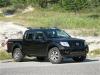
Share ko din Nav at work ko. Pagkatapos ng photoshoot...

-
Verified Tsikot Member
- Join Date
- May 2011
- Posts
- 191
August 10th, 2011 07:27 PM #1275bout 3 inches? Originally Posted by fierari
nothing monster truck-like....
-
Tsikoteer
- Join Date
- Mar 2008
- Posts
- 529
August 12th, 2011 04:47 PM #1276keelaween! hehehe Originally Posted by 12vdc
that's too much brader. the highest you can go w/o issues is 1-1/2" * the front, * the rear around 2". Originally Posted by DeathRow
higher than these you'll likely be encountering UCA contact with the coil bucket. at the rear, handling problems naman with swaying because of using too long shackles
nakakagawa naman tayo ng utilitrac dito. bili ka UNISTRUT channel sa greenleepareho na din yun. yung cleats lang problem pero pwede namanmagpa-machine shop. nakita ni cerloo yung ginawa ko ang alam ko naka-bili na sya hindi ko lang alam kung naikabit na Originally Posted by Wh1stl3r
-
Tsikoteer
- Join Date
- Nov 2009
- Posts
- 3,522
August 12th, 2011 08:21 PM #1277No stock ang caliper pin.. Seized na at nirepair ko lang yung lower part, may water breach na before pa ako magpalit ng pads..
Hindi maiwasan lumusong sa baha eh.. Last time punta ko Legazpi puro baha.. Pagdating sa Manila, baha ulit..

-
Verified Tsikot Member
- Join Date
- Jul 2010
- Posts
- 172
August 14th, 2011 11:48 PM #1278Hey guys, have you experience a thumping/rattling sound in your navaras' engine bay? I just noticed it a while ago. Quite audible inside the cabin with the stereo turned off. If you must know, the sound lasts for about 5-8 seconds and stops, then comes back again.
I just remembered cleaning the engine bay last week using a mildly damped cloth and now I'm thinking that I may have touched some sensitive parts inside the engine bay. Not sure about it though if it was the cause of the sound I hear.
-
Verified Tsikot Member
- Join Date
- Jul 2010
- Posts
- 172
August 15th, 2011 01:14 AM #1279oh, and I only hear it when my pick up is on idle. Still has 3,900+ mileage on it.
Could the sound that I hear lead to some serious problems?
-
Verified Tsikot Member
- Join Date
- Jul 2010
- Posts
- 172
August 15th, 2011 09:12 AM #1280Update: Started the engine this morning and noticed it to be evident after turning the A/C on. The sound goes away for a while and comes back. I'm sure it's not the A/C cause I'm familiar with the sound the A/C produces when turning it on. What I hear is a repeating faint sound of a thump like a knock.
 Originally Posted by cydepx44
 BTW ganda nun effect ng vht's sa grille mo ah. is that result from a can of spray paint?
 Reply With Quote
![Nissan Frontier Navara [continued]](https://play.google.com/intl/en_us/badges/images/generic/en_badge_web_generic.png "Google Play")