
This solution is not on the router. If you're all running Android 7 or higher, you can install Google's Family Link. Aside from a time window, you can also set a time limit. It can also trace their location if they're online.Originally Posted by Jiggs

If you want to control internet access through the router at that level that you have in mind, you'd need one with Tomato firmware.
Sent from my Nokia 6.1 using Tapatalk

The Largest Car Forum in the Philippines
- Forums
- Discussions
- Events
- Community
Results 21 to 40 of 40
-
 Verified Tsikot Member

- Join Date
- Jun 2015
- Posts
- 2,751
February 25th, 2020 07:41 PM #21
-
Verified Tsikot Member
- Join Date
- Oct 2008
- Posts
- 380
February 25th, 2020 08:31 PM #22sa converge ako nag apply Originally Posted by _Qwerty_

would you have an idea kung kaya ng converge modem???
-
 Darker and Bigger
- Join Date
- Oct 2002
- Posts
- 40,599
February 25th, 2020 09:15 PM #23Nope. Naka converge ako ang pwede lang yun parental control kung kailang lang pwede maka browse. Originally Posted by african888
Sent from my iPhone using Tapatalk
-
Verified Tsikot Member
- Join Date
- Jun 2015
- Posts
- 2,751
February 25th, 2020 09:34 PM #24If it's the ZTE modem, walang control whatsoever dahil naka-hide ang advanced settings. Wala pang nakakaalam kung papano i-access ang admin account. Originally Posted by african888
You'll need to buy your own WiFi router.
-
Verified Tsikot Member
- Join Date
- Oct 2008
- Posts
- 380
February 25th, 2020 09:50 PM #25question, each MAC ba e 1 IP address? pwede multiple MACs in one IP Address? Originally Posted by yubby24
tapos kung di nman online si 101 to 104, 1mbps pa rin lang ang pde magamit ni 105 and up?
-
Verified Tsikot Member
- Join Date
- Sep 2016
- Posts
- 2,348
February 26th, 2020 10:41 AM #261:1 lang sir. Pag nitry mong gamitin ulit yung IP address sa ibang MAC address, mag-eerror na in-use na yung IP address na yun. Originally Posted by african888
Yung mga priority devices lang ang naka-static na IP address.
Kahit na hindi naka-online yung mga priority devices, 1mbps pa rin ang max na pwedeng magamit nung 105 and up.
-
Verified Tsikot Member
- Join Date
- Oct 2008
- Posts
- 380
-
Verified Tsikot Member
- Join Date
- Oct 2008
- Posts
- 380
-
 Verified Tsikot Member
- Join Date
- Sep 2015
- Posts
- 62
March 4th, 2020 12:31 AM #29GAN4PT rin sa akin paano ginagawa yan sir? Originally Posted by yubby24
-
Verified Tsikot Member
- Join Date
- Sep 2016
- Posts
- 2,348
March 4th, 2020 12:37 PM #301. identify the MAC address of every device that connects to your router. Originally Posted by Mits
2. In the LAN tab under Interface Setup page, assign each MAC address a static IP Address. Sa ginawa ko, yung mga priority devices ko ang may static IP address. The rest, Auto na lang.
3. Sa Bandwidth tab naman, still under Interface Setup page, may makikita kang Rules Summary. Edit ka ng isa to set the Download and Upload limits. Egress Bandwidth is Upload limit while Ingress is the Download limit. Sa case ko, Ingress lang ako naglimit. Tick on Enable sa Active na field para dun sa rule number na inedit mo para mag take effect yung ginawa mong rule.
Sa case ko, may 4 devices ako na priority, 2 laptops at 2 phones. Inassign ko sila sa address 192.168.254.100 - 103. Tapos yung Rule 1 ko is nakalimit to 1mbps ang IP addresses from 104 pataas. Meaning, yung priority devices ko utilize the maximum available bandwidth while yung mga devices na may IP address 104 pataas en hanggang 1mbps lang.
Tried running speedtest sa mga priority at hindi at nagreflect naman yung limit na sinet ko.
-
 Tsikot Member Rank 5
- Join Date
- May 2006
- Posts
- 8,357
-
Verified Tsikot Member
- Join Date
- Oct 2008
- Posts
- 380
March 4th, 2020 11:25 PM #32huawei echolife yong provided ni converge today. wala bandwith control. Originally Posted by WallyWest

bought an AC7, me bandwith control pero di kaya yong suggestion ni yubby. Per Mac Ad ang limit ng bandwith
-
Verified Tsikot Member
- Join Date
- May 2013
- Posts
- 141
March 5th, 2020 05:14 AM #33May TPlink ako dati na may min at max speed per device
Internet BW = 10Mbps
Phone A - Min 2Mbps Max 10Mbps
Phone B - Min 8Mbps Max 10Mbps
If both phones are using the internet, each can only use their minimum speed
If only phone A is using the internet, it can use the full 10Mbps speed.
-
Darker and Bigger
- Join Date
- Oct 2002
- Posts
- 40,599
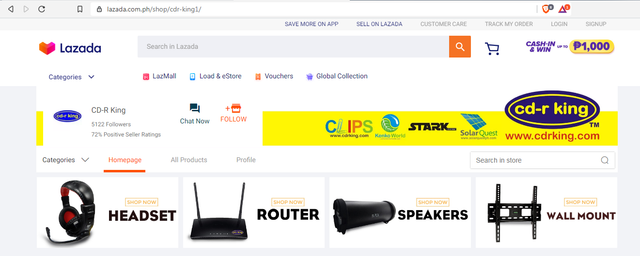
March 5th, 2020 08:22 AM #34Meron pa bang CDR-KING ngayon? Originally Posted by Syuryuken
Sent from my iPhone using Tapatalk
-
 Tsikot Member Rank 2
- Join Date
- Mar 2004
- Posts
- 10,309
March 5th, 2020 08:39 AM #35Or you can be friendly with the service guy and he might just give you the special admin password for your router ... PLDT installer gave theirs ...
-
 Tsikoteer
- Join Date
- Dec 2009
- Posts
- 3,006
March 5th, 2020 06:39 PM #36Wala na pinasara na ni shopee at lazada Originally Posted by shadow
Sent from my SM-A520W using Tapatalk
-
Tsikot Member Rank 5
- Join Date
- May 2006
- Posts
- 8,357
March 6th, 2020 09:38 AM #37 Originally Posted by shadow
Nasa Lazada na Originally Posted by kisshmet
-
Verified Tsikot Member
- Join Date
- Oct 2008
- Posts
- 380
March 6th, 2020 11:35 AM #38ok din yong ganito set up. pde ma maximize pag 1 lang user na nasa house. pero si ac7, max bandwith lang available. Originally Posted by andsmv
-
Verified Tsikot Member
- Join Date
- Sep 2015
- Posts
- 62
March 6th, 2020 03:19 PM #39 Originally Posted by yubby24
Thanks for replying. Naka pag set na ako and it's working. Concern ko na lang kasi sa previous modem ko kapag na reset nag-iiba mga IP, dito ba sa gan4pt na modem naka fix na yung IP?
-
Verified Tsikot Member
- Join Date
- Sep 2016
- Posts
- 2,348
March 6th, 2020 06:14 PM #40Yung mga sinet mo sir as static IP will retain the IP address assigned to them kahit irestart. Nakailang patay na kami ng modem kapag aalis kami at walang maiiwan sa bahay. Pagbalik namin, di naman nabago yung assigned IP address ng mga static. Unless meron ka sir laptop na naka-Windows 10 tapos naka-enable yung random MAC address, magpapalit ng IP address yun kada connect nya sa modem mo kung via wifi. Originally Posted by Mits
 Originally Posted by Jiggs
 nice thread....it gives me an idea..hmmm How about is there a way where I could put a timer on the user TOU time of use? i.e. User 1 unli, user 2,3,4 upto 1000PM only during weekdays and 12Midnight during Weekends. Am having headache to control my teeners in their social media time.
 Reply With Quote

