


Originally Posted by badkuk

Often times it is how the WIFI ROUTER is installed and configured (or not configured) that can be the cause of the problem.
Signal strength can suddenly drop if there are dense or thick walls or items between you and the router. To minimize this, it is recommended to install the wifi router at a high location with good line of sight between you and the router with minimal blockage.
You can also get better signal performance if you upgrade your "G" router to "N" router. Also going for a router with more antennas can increase the signal strength. There are routers with two or three antennas which would provide a stronger signal. Or you can try a taller replacement antenna but my experience the signal gains for these upgrade is only marginal at best.
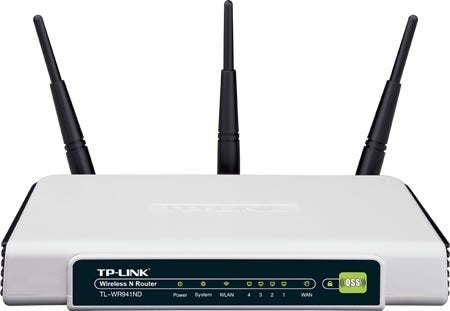
My home wifi router is something like this:
It's a TPLINK 300-N-WIFI router with three antennas. I have it mounted high on a wall. I don't have any issues with dropped signals at my condo except in my kitchen.
BTW, best to scan your area to see what existing wifi signals are there and what channels are being used. When you configure your router, make sure the channel it is using does not have the same number as another router. Having the same channel can cause interferance and a general slow down in data speeds.

The Largest Car Forum in the Philippines
- Forums
- Discussions
- Events
- Community
Results 1 to 20 of 65
Threaded View
-

 Tsikoteer

- Join Date
- Oct 2002
- Posts
- 29,354
August 15th, 2013 04:15 PM #11
 Originally Posted by badkuk

 Reply With Quote
