You can now sell your car directly to buyers online, using CarsNow website. CarsNow allows you to easily list your vehicle for sale, and it is free.
Lots of car buyers come everyday to CarsNow looking for their new car. You can now reach this audience and get a better value for your vehicle. If you are a dealer, you can take advantage of our network to attract buyers to you shop.
We will guide you through how to sell cars online in the Philippines.
Wash the car before photographing it. In addition, make sure you are taking photos from the front, back, side and a couple of photos showing the inside of the vehicle. You can also take a photo of the engine and the dashboard showing the kilometers.
Once you have the photos, you are ready to start the listing process. Go to https://www.tsikot.com/listings/create and you will see the easy listing process.
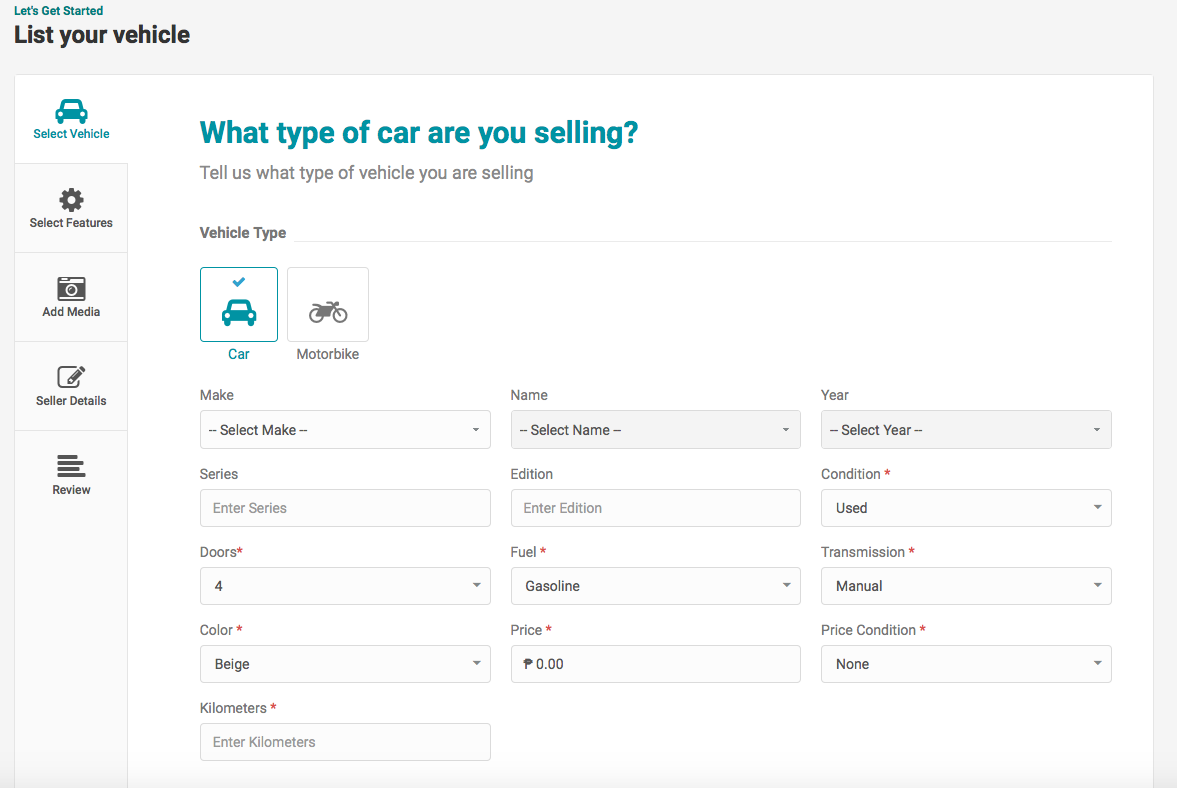
This step will ask for the basic vehicles details, such as Make, Model, Year, Transmission, Colour and Kilometers. We strongly recommend using the most accurate information, so that you attract the right buyers, and avoid confusion later on.
Once you click ‘Update and Continue’ you will see the feature selection. On this step you will be able to select all the features your vehicles have. You just need to tick the boxes. There is also a description field, where you can type some more information about the vehicle.
On the description we recommend you give information such as:
On the description, there is no need to repeat the information selected on Step 3 and Features you ticked. CarsNow search system is very advanced and it will capture that information when a buyer is searching for a car that matches the details you enter.
The next step, Add Media, is to upload photos. You can simply drag and drop the photos from your computer to here. You are allowed up to 10 images.
The next step is where you will add your details, so buyers can contact you. Make sure you use an email address that you access often and with ease, so that you can respond to potential buyers quickly. It is also recommended to put a phone number, so buyers can call you.
On this step it is also where you will enter your login password for your CarsNow Dashboard. On the CarsNow Dashboard you will be able to view and edit all your vehicles for sale. In addition you will be able to save the vehicles you like, edit your details and much more.
We suggest you select a strong password to protect your information.
If you have an account with CarsNow, you can login to your account on this step. All your details will automatically come up when you login, so you don’t have to re-enter them.
After Step 6, your ad will appear for you to review and publish it.
If you are a new client, you will receive an email to confirm your account and listing. If you are an existing client your ad will be automatically published without confirmation. Once published, your ad will appear here in the cars for sale listing in the Philippines.
You are done! Happy Selling and keep in mind our safety recommendations.
For any suggestions on how to sell cars online, please contact us. We will be happy to hear from you.
Denza has unveiled its new flagship sports car, the Z, marking the brand's entry into…
Hyundai Motor Philippines (HMPH) has finally brought in the much-awaited hybrid version of its premium…
Suzuki Philippines has officially unveiled the all-new e Vitara at the 2026 Philippine International Motor…
With recent launches of affordable EV hatchbacks such as the GAC Aion UT and Geely…
Nissan Philippines has officially launched the all-new X-Trail e-POWER at the 2026 Philippine International Motor…
Toyota Motor Philippines (TMP) has officially opened reservations for the all-new Hilux following its public…