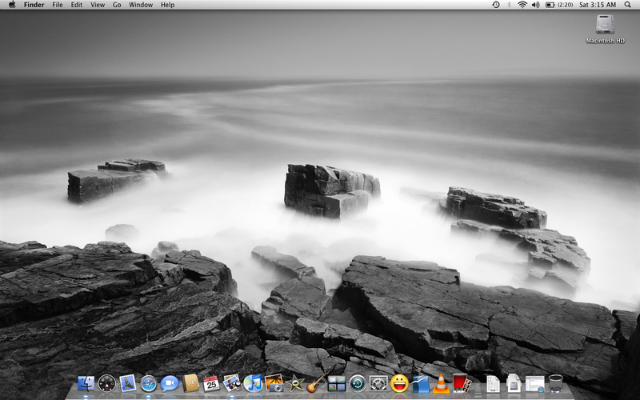
mga sir do you know where can i download vista look themes for my winxp? sana yung naka .theme format na para hindi na ako kailangan ng mga softwares. may ganun po ba?kasi mga na download ko naka .zip at kailangan pa daw ako ng mga xp theme patcher blah blah sana po meron nang naka .theme format.. any site that u could recomend? thanks..

The Largest Car Forum in the Philippines
- Forums
- Discussions
- Events
- Community
Results 161 to 180 of 253
-
 Tsikot Member Rank 9

- Join Date
- Feb 2008
- Posts
- 1,636
June 7th, 2008 11:01 AM #161
-
 Tsikoteer
- Join Date
- Jan 2006
- Posts
- 12,398
June 7th, 2008 11:40 AM #162You can start here: Originally Posted by JJCarEnthusiast

http://www.tech-recipes.com/rx/1089/..._longhorn_free
Beats me why you want to make XP look like Vista. Vista's appearance is ok but nothing I'd drool over.
To me, there are better (and simpler) themes I rather use with XP.
-
Tsikot Member Rank 9
- Join Date
- Feb 2008
- Posts
- 1,636
June 7th, 2008 11:44 AM #163i like to see vista look in my PC without installing winvista cause my pc didnt meet the requirements. i want to see another look of my pc kasi Originally Posted by Jun aka Pekto


-
Tsikoteer
- Join Date
- Jan 2006
- Posts
- 12,398
June 7th, 2008 12:36 PM #164What's your pc specs? My wife's pc is a mere Athlon XP 1700+ with a GF4-Ti4200. Pretty old hardware. But Vista Basic works ok on it. Originally Posted by JJCarEnthusiast
My Toshiba laptop came with Vista Home Premium. But, I just got done converting to XP Home because I decided I wanted to run some games on it.
I like the Royale theme found in XP Media Center Edition. But, I can't stand the green Start Button. So, I used Startkiller to hide it. If I want shadows, I use Y'zshadow. If I want transparency, I use Glass2k. All freeware.

Last edited by Jun aka Pekto; June 7th, 2008 at 12:48 PM.
-
 Tsikot Member Rank 4
- Join Date
- Jan 2006
- Posts
- 2,105
June 7th, 2008 08:58 PM #165try, vista transformation pack. it's free and it's all in one package. though the later version requires windowblinds. Originally Posted by JJCarEnthusiast
http://majorgeeks.com/Vista_Transfor...ack_d4924.html
you might also want to add vista drive icon. freeware, just 130kb, small cpu,ram consumption that makes this vistaish horizontal bars in your HD.

http://drvicon.sourceforge.net/
-
Tsikoteer
- Join Date
- Jan 2006
- Posts
- 12,398
June 8th, 2008 05:15 AM #166The Vista Transformation pack is one. There are others that change XP's looks to OSX and Linux:
http://www.makeuseof.com/tag/5-packs...s-to-other-os/


Meh. After all have been said and done, I still prefer XP's looks minus that horrid green Start Button of course.
Add: Lots of useful info at that site too.
-
Tsikoteer
- Join Date
- Jan 2006
- Posts
- 12,398
-
Tsikot Member Rank 9
- Join Date
- Feb 2008
- Posts
- 1,636
June 8th, 2008 03:28 PM #168this my desktop with BRICO pack installed (its a vista transformation pack right?) and object dock:
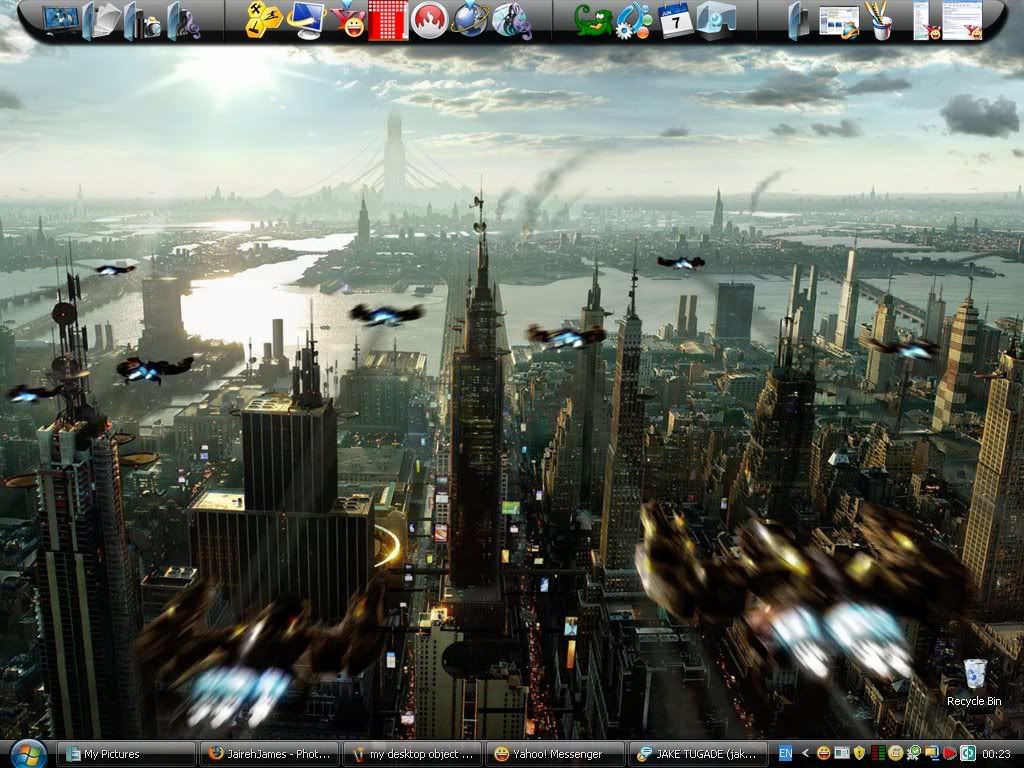
and
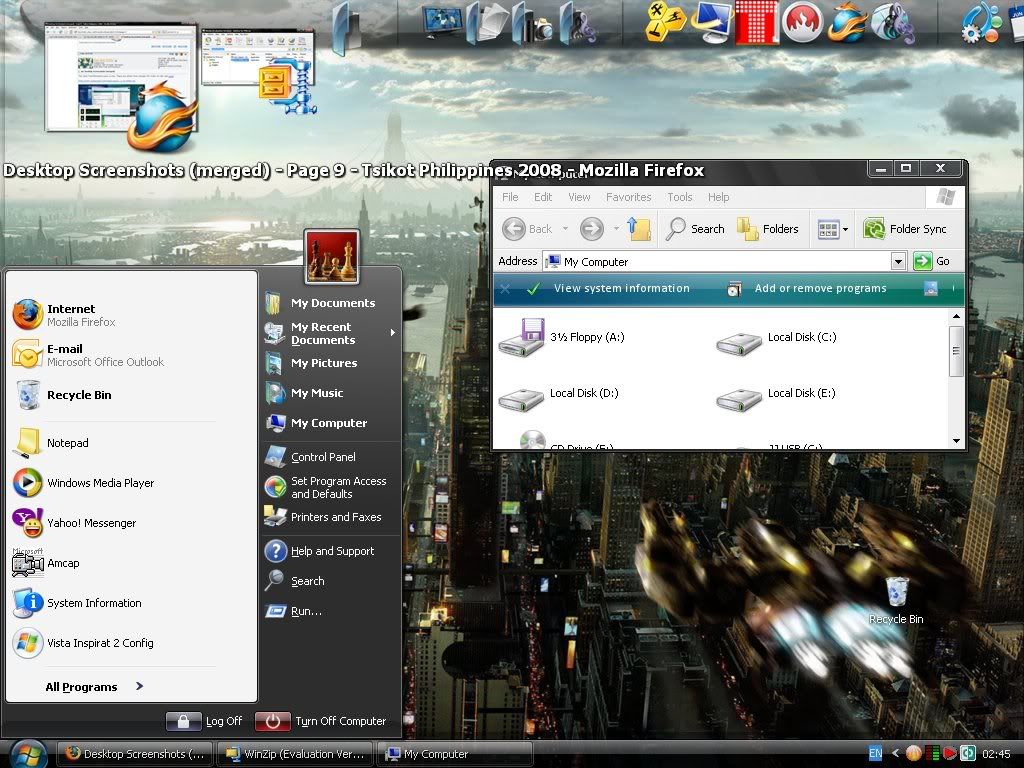
i deleted all icon shortcuts and depend on start menu ang object dock..
i want a side bar :cry: sir jun, yung link mo na 5 packs........ eh kasama ba dun ang side bar sa vista transformation pack? is that any better with brico? if yes im downloading it hehe i really want a theme that has semi transparent smart menu ang title bars and a cool side bar :cool: hheeheheheLast edited by JJCarEnthusiast; June 8th, 2008 at 03:42 PM.
-
Tsikot Member Rank 9
- Join Date
- Feb 2008
- Posts
- 1,636
June 8th, 2008 03:55 PM #169do i really have to pay at ********** to download the vista transformation pack?
 is there any other way(s) to download that trans pack without paying at **********???
-
Tsikoteer
- Join Date
- Jan 2006
- Posts
- 12,398
June 8th, 2008 03:57 PM #170From my experience with the real Vista Sidebar.......... The real thing's nowhere as functional as the substitutes. Originally Posted by JJCarEnthusiast
One thing to note is that the Sidebar takes a lot of desktop real estate. If you don't have dual-monitor or a huge screen resolution, don't bother. I would stick with the Windows Taskbar in place and have Object Dock at the side.
If you want a Sidebar...... start here:
http://www.tech-recipes.com/rx/1020/...idebar_into_xp
There's also Desktop Sidebar:
http://www.desktopsidebar.com/
-
Tsikoteer
- Join Date
- Jan 2006
- Posts
- 12,398
June 8th, 2008 04:19 PM #171The Sidebar is only useful when there's plenty of space like dual-monitor.......

For my widescreen laptop before I put XP Home on it..... Objectdock worked best:

-
Tsikoteer
- Join Date
- Jan 2006
- Posts
- 12,398
June 9th, 2008 12:25 AM #172While in the thick of all these theme stuff, I decided to try Luna Royale which required I replace the uxtheme.dll once more. I like it. This one's Luna Royale Black:

-
Tsikot Member Rank 4
- Join Date
- Jan 2006
- Posts
- 2,105
June 10th, 2008 09:53 PM #173********** is free, just click on the free botton, sometimes you wait from 60 secs. or sometimes 1 hour on traffic. or start immediately on happy hours.
my xp. love the colors^^

my osx, love the genie effect.

-
Tsikoteer
- Join Date
- Jan 2006
- Posts
- 12,398
June 11th, 2008 06:12 PM #174He He. The first thing I wanted off was the genie effect.
Since I can't turn it off, I used scale effect instead. That and unchecking "Animate opening applications".
I don't like the pinstripes either. But, ya learn to live with it.
Last edited by Jun aka Pekto; June 11th, 2008 at 06:16 PM.
-
Tsikot Member Rank 4
- Join Date
- Jan 2006
- Posts
- 2,105
October 2nd, 2008 01:34 AM #175buhayin ko itong thread ulit, nabago kasi monitor ko at bago install OS XP at Vista.
XP:


Vista:

OSX:
no updates...
-
 Tsikoteer
- Join Date
- Sep 2006
- Posts
- 390
-
 failing college stud
- Join Date
- Dec 2002
- Posts
- 685
-
 Dynamic Tsikoteer
- Join Date
- Aug 2005
- Posts
- 2,343
-
Tsikot Member Rank 9
- Join Date
- Feb 2008
- Posts
- 1,636
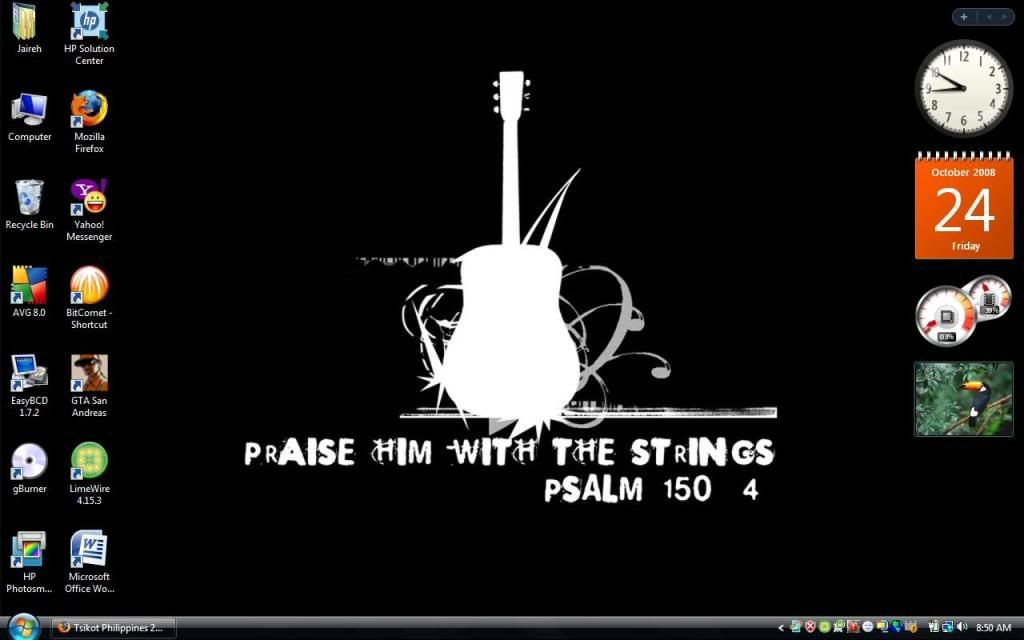
October 25th, 2008 09:53 AM #179that windows 7 is intriguing me. is this vista-based? im thinking this must be an OS with windows aero and all other features of vista minus being resource hog
anyways here's the new look of my vista lappie. stock aero theme. ive used m11 theme before but know i cant. i dont why ang lumalabas na theme eh win classic
-
Tsikot Member Rank 9
- Join Date
- Feb 2008
- Posts
- 1,636
October 27th, 2008 06:58 PM #180here's the current look of my lappie:
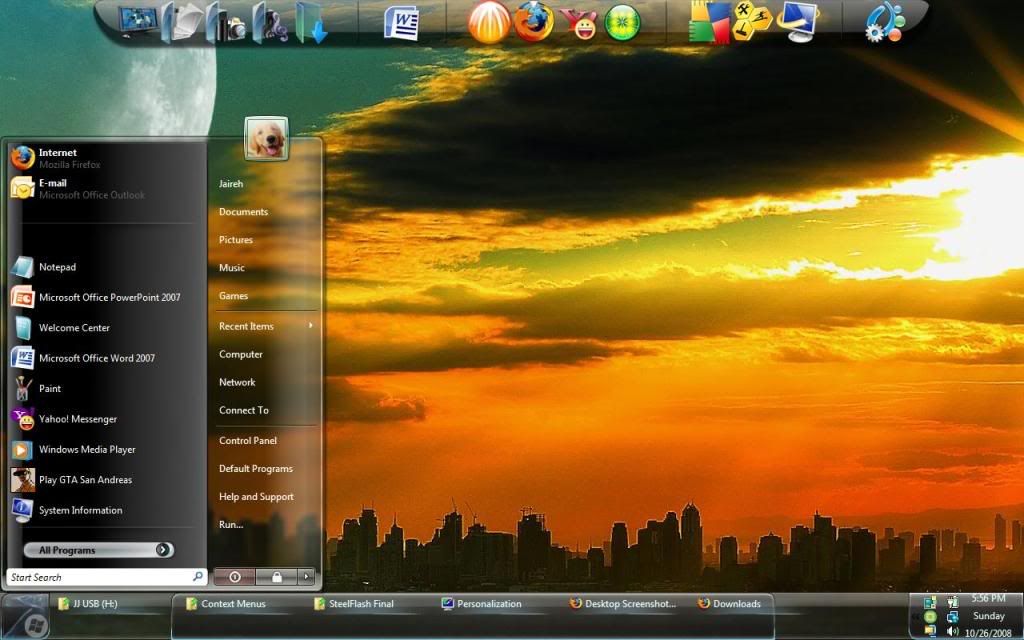
theme: SteelFlash
wallpaper sponsored by sir SafeOrigin
i still might add some widgets later on

 Reply With Quote
 Originally Posted by JJCarEnthusiast