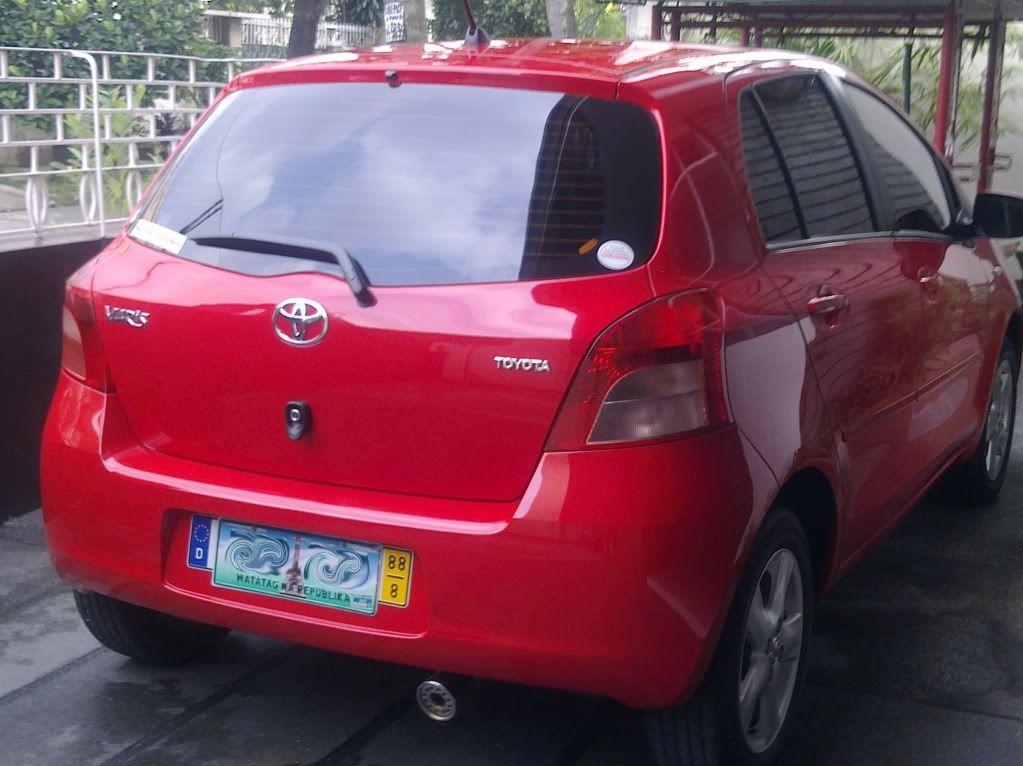
Hello Fellow Yaristas. This thread are for our very own Yaris. Aba, worthy everyday car ito. So let's show them up here sa thread na to.
Post every thing na pinagawa ninyo sa Yaris ninyo, stock man o may modification, o mga bangga ninyo (di ka nag iisa Angela), o kung ano pa basta pics ng Yaris.
Let me start.


The Largest Car Forum in the Philippines
- Forums
- Discussions
- Events
- Community
Results 1 to 20 of 96
Hybrid View
-
 Tsikot Member Rank 2

- Join Date
- Dec 2007
- Posts
- 469
August 2nd, 2008 09:38 PM #1
-
 Verified Tsikot Member
- Join Date
- Oct 2007
- Posts
- 143
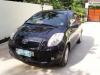
August 4th, 2008 03:54 PM #2eto naman po c "ice" namin..
 wala pa siyang modifications kasi pinagiipunan ko pa.. hehehe


-
Tsikot Member Rank 2
- Join Date
- Dec 2007
- Posts
- 469
-
 Verified Tsikot Member
- Join Date
- Jul 2008
- Posts
- 99
-
Tsikot Member Rank 2
- Join Date
- Dec 2007
- Posts
- 469
August 17th, 2008 10:31 AM #5Angela, i photoshop mo yung plate mo so it will be hidden. Katulad ng ginawa ni Linus.
-
 Verified Tsikot Member
- Join Date
- Aug 2008
- Posts
- 7
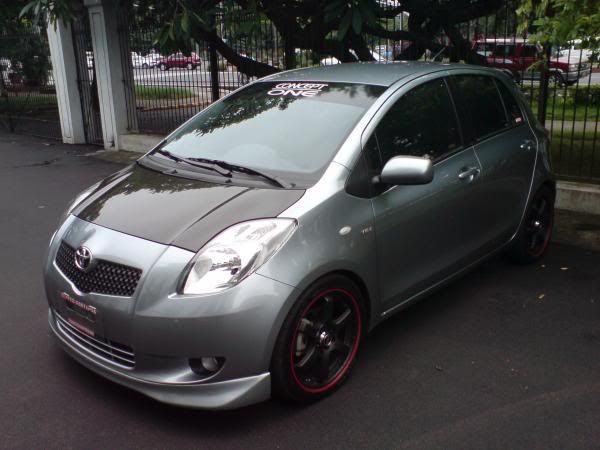
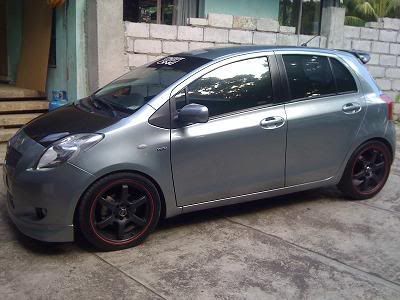
August 20th, 2008 03:24 AM #6Here's my Yaris / Vitz-RS
External Upgrades :
Original CARBON FIBER Hood (Japan)
CARBON FIBER Spoiler
CONCEPT ONE (Toxic) 17's
NITTO NeoGen Tires
MOMO Jet Steering Wheel
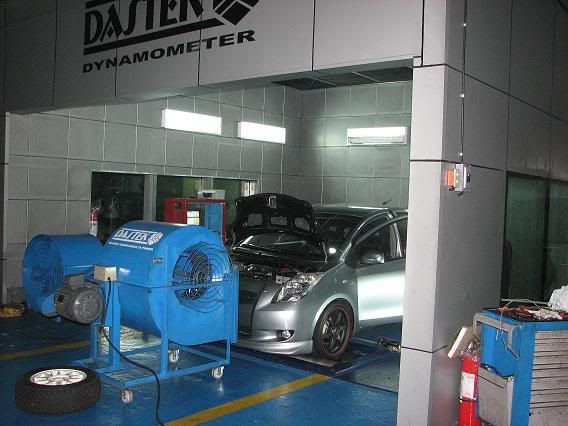
K&N Air Filter (Speedlab)
ORIGINAL XENON Bulbs HiD's (Headlight 8000K / Foglamp 3000K)
NETZ Japan Badges (Front & Rear)
Hope you like it :
Tiendesita's (Current Look)
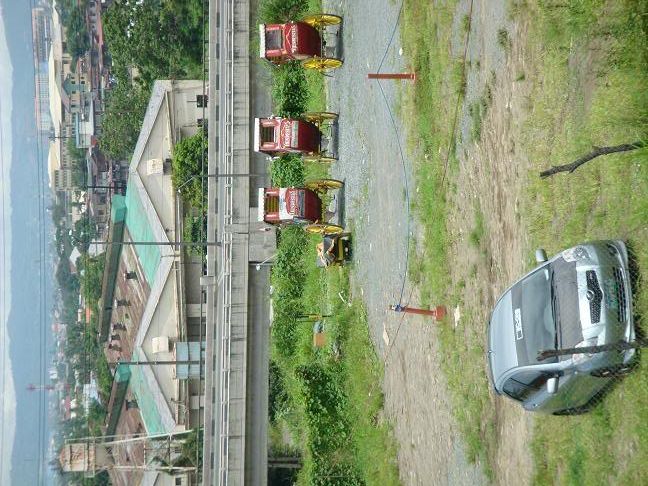
Manila (Old Look)
Being Dyno'd * SpeedLab (Installed K&N Cool Air Intake / Incresed 7HP)
* This pic is in Speedlab's Website
Another (Old Look)
Text me if there's anything i can do for this club...
If you need accessories for Yaris i can help you guys...
My friend imports parts (Directly from Japan)
Here's my # 09165787777
-
Verified Tsikot Member
- Join Date
- Jun 2009
- Posts
- 14
June 23rd, 2009 04:33 PM #7Guys anong tawag sa "blue" na to? Type ko un kulay Originally Posted by linus0910


-
Tsikot Member Rank 2
- Join Date
- Dec 2007
- Posts
- 469
-
Verified Tsikot Member
- Join Date
- Dec 2009
- Posts
- 41
March 6th, 2010 02:37 AM #9may yaris pa bang ganitong kulay ngayon? yung light blue? Originally Posted by raybrig
-
 Tsikot Member
- Join Date
- Aug 2009
- Posts
- 2
-
 Tsikoteer
- Join Date
- Dec 2007
- Posts
- 3,938
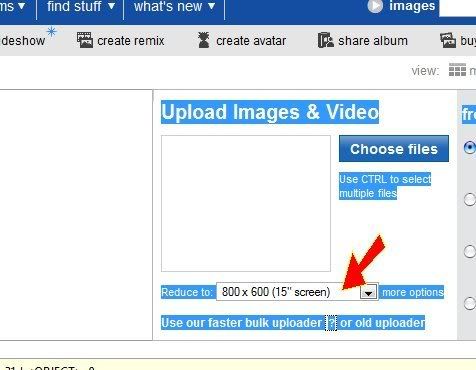
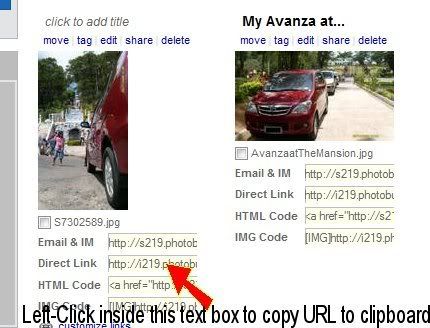
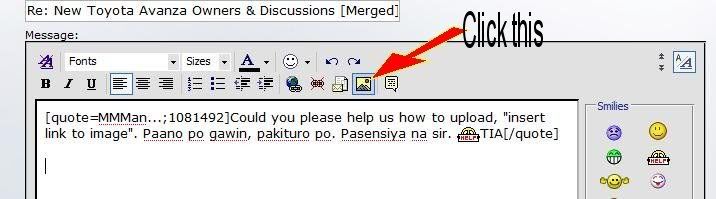
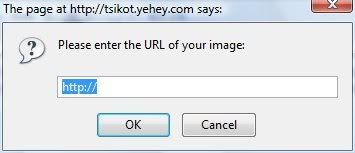
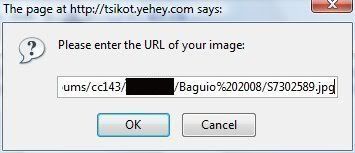
August 5th, 2009 12:09 PM #11How? Originally Posted by jeross
Originally Posted by woohoo
I hope this helps, sir.Last edited by woohoo; August 5th, 2009 at 12:14 PM.
-
Tsikot Member Rank 2
- Join Date
- Dec 2007
- Posts
- 469
-
 Wheelin and Dealin'
- Join Date
- Feb 2008
- Posts
- 14,181
-
Tsikot Member Rank 2
- Join Date
- Dec 2007
- Posts
- 469
August 5th, 2009 06:11 PM #14That's the 09 right? I didn't notice that there's a toyota badge at the rear when I visited Toyota last month.


 Reply With Quote

 Originally Posted by linus0910
 how to upload pics?